|
<< Click to Display Table of Contents >> Version 4.27 |
  
|
|
<< Click to Display Table of Contents >> Version 4.27 |
|
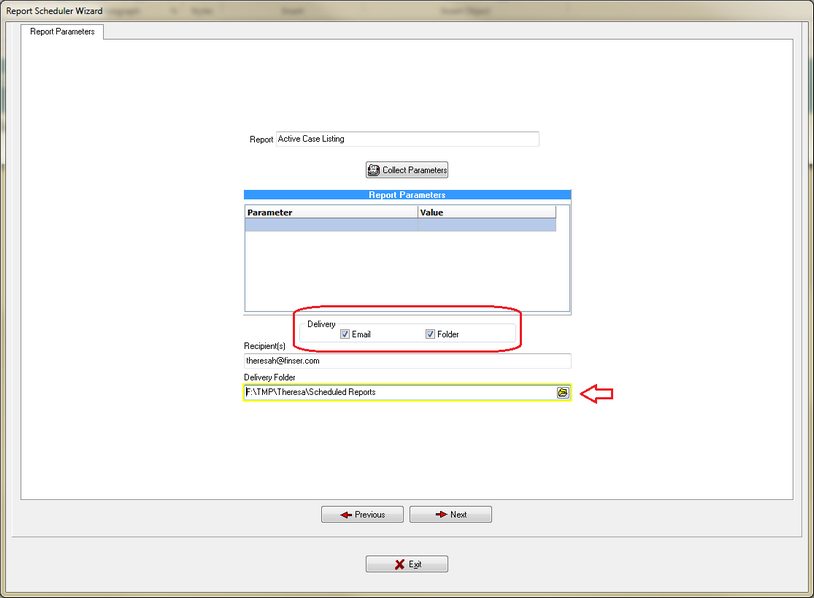
1. Scheduled Reporting to a specified folder.
a)Scheduled reporting parameters now include the option of saving a path to a folder where the report will be saved when it runs on the schedule that is set up. This allows for the reports to automatically be archived to the designated location. This option can be used with or without the email option.
2.Windows One-Log-In option is now available.
a)Financial institutions can now use the One-Log-In feature where the logged in Windows user is used for access to the RegE Management Software and no login will be required.
b)FinSer will need to work with your IT Department to set up the parameters for this option. Once incorporated you will no longer see this screen:
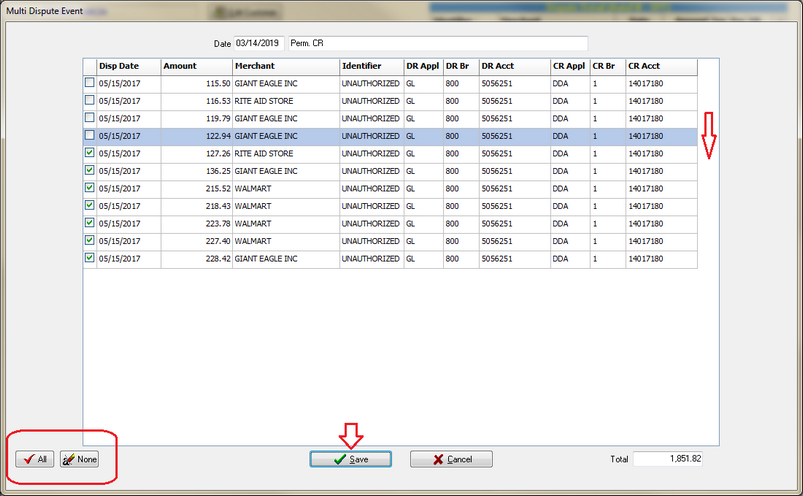
3.Multi-dispute transactions are now more visible when being selected for credit.
a)Once the Event type for a credit on a Multi-dispute transactions is chosen, a window will open showing all of the pending transactions. Select the All button or individual transactions, and click save. The screen will now show the processing of each item as it moves through the list.
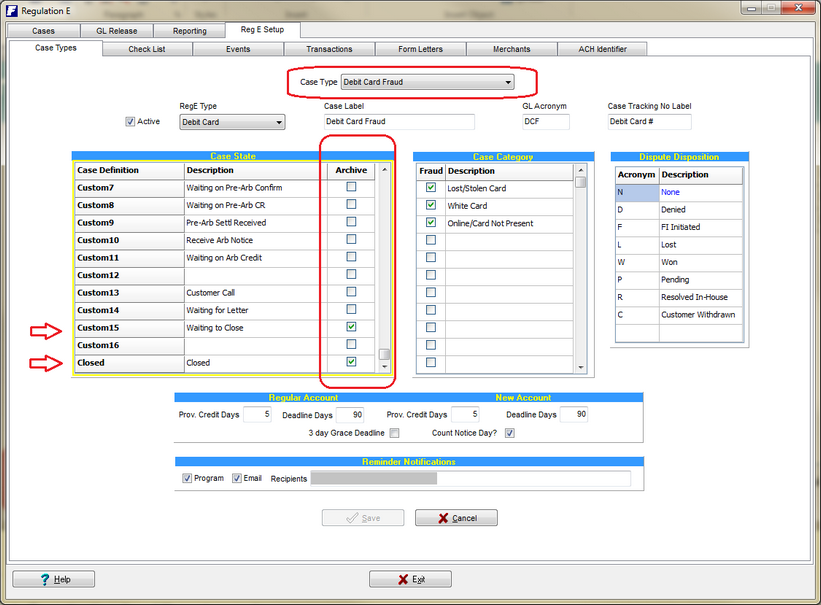
4.Archiving of additional case types is now available.
a)By selecting a specific case types and selecting the Case State button under the archive column, you can now have cases archived when the case is in a specific state. (example shows a case needing to be archived when it is waiting to close and or when its closed. Either case state will push the archive.)