|
<< Click to Display Table of Contents >> Version 4.16 |
  
|
|
<< Click to Display Table of Contents >> Version 4.16 |
|
1. Options are available for the Dedicated Users column.
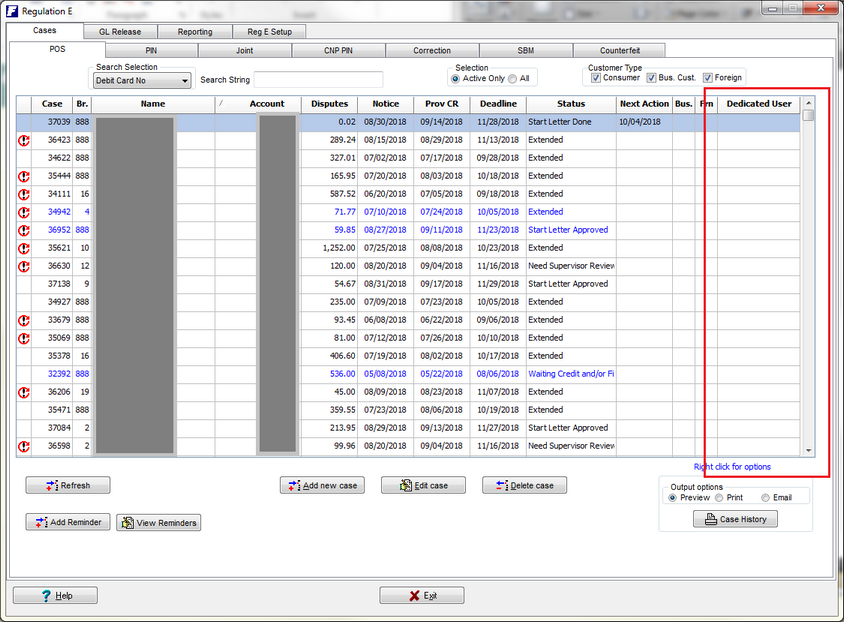
1. Dedicated users are the people that the cases are assigned to for processing. Once assigned the name of the person working the case will show in this column.
2. Non-Dedicated users will have a blank or empty column.
Both options can be set up in the Setup icon from the RegE home page.
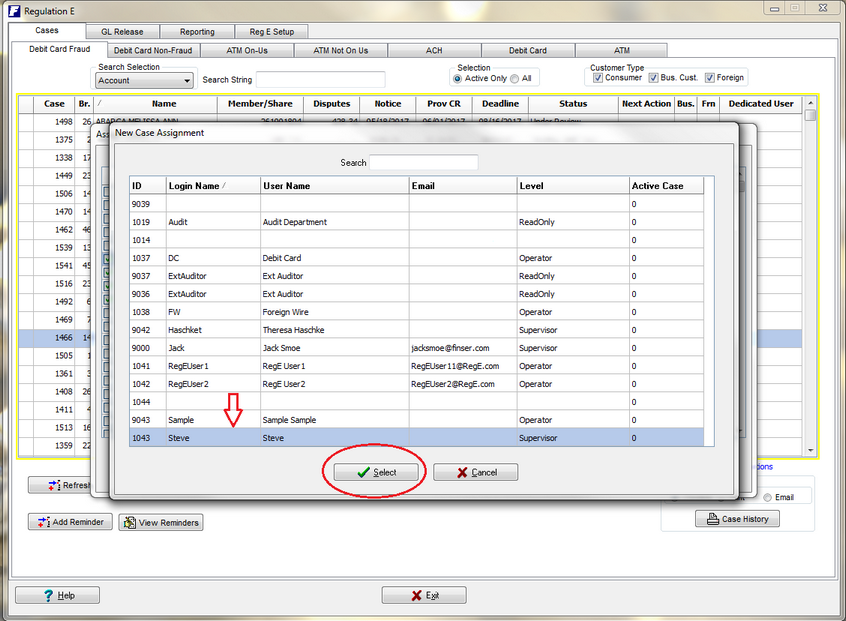
Assigning a Dedicated User can be done by right clicking anywhere on the grid and selecting Assign cases to users. A listing of all cases will pop up allowing you to choose one individual case or multiple cases. Select the Assign Cases button and a listing of the Users will pop up.
NOTE** Users with Branch User access will not be in the listing of individuals that can be assigned.
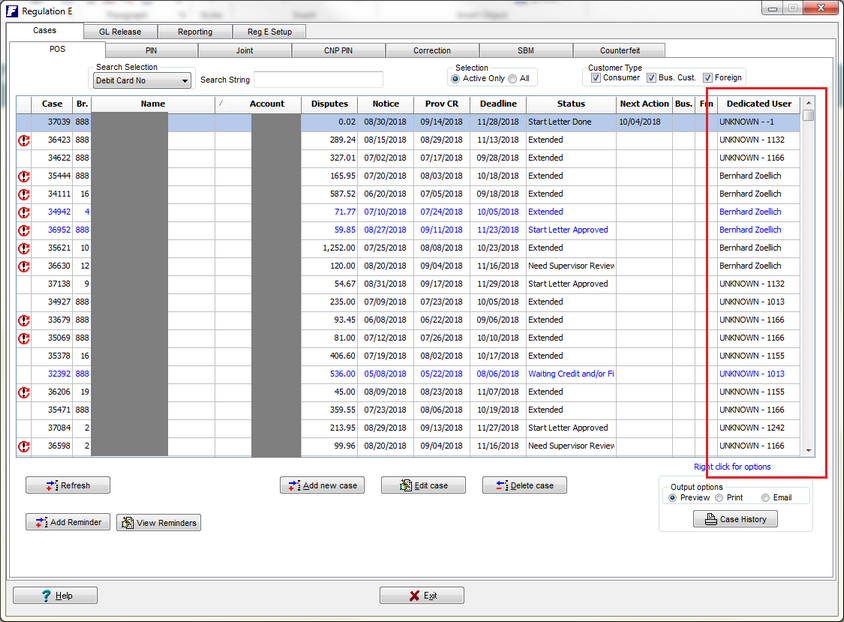
Clients using Dedicated users will have assigned names in the Dedicated users column. If any cases are not assigned, they will have Unknown until assigned.
Right Clicking to select Cases.
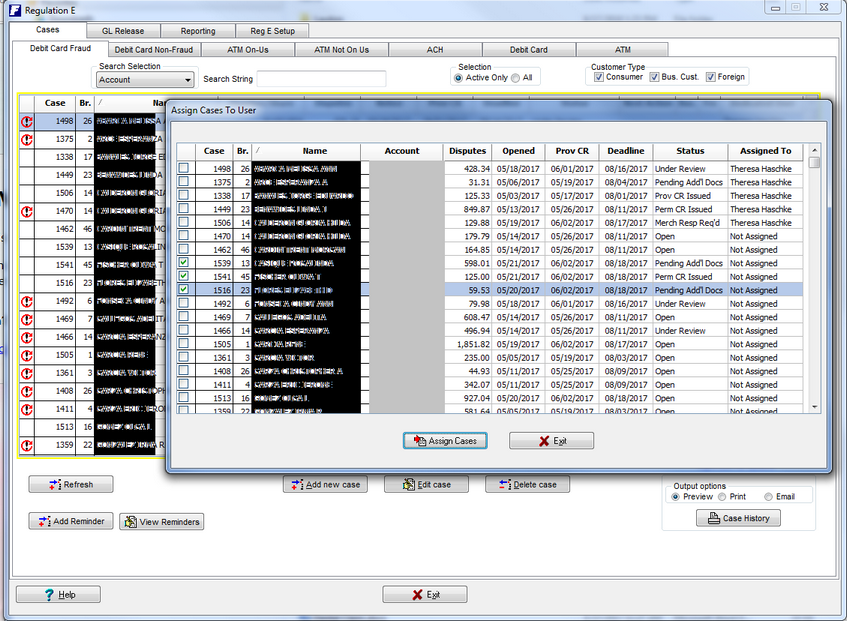
Select Assign Cases to select individual to work case/cases.