|
<< Click to Display Table of Contents >> Version 4.32 |
  
|
|
<< Click to Display Table of Contents >> Version 4.32 |
|
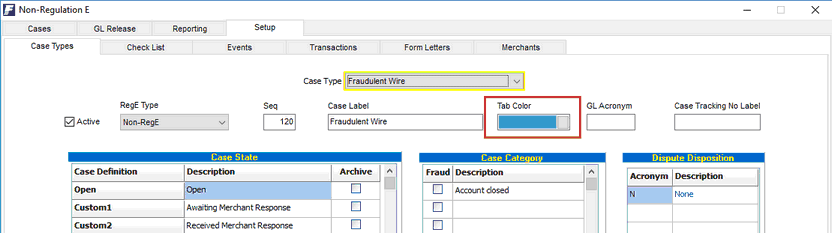
1. Added Color coding of Case Type Tabs
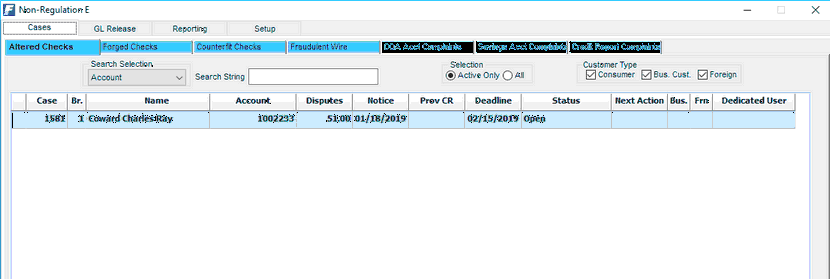
To visually group case types, especially on the Non-RegE side, tabs can now be assigned a color.
2. Added Seq number to Case Types
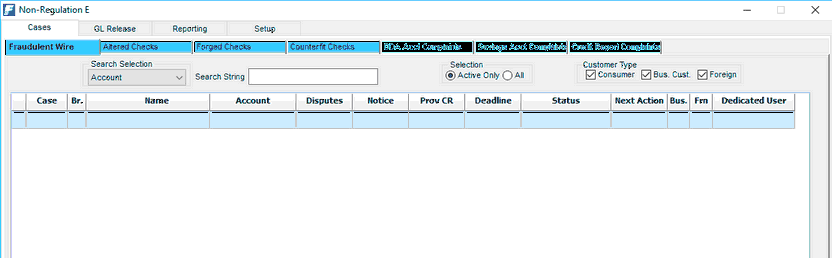
To be able to maintain the grouping of case types when are setup not in sequence and over time, a Seq number can now be assigned to each case type to control the order in which they will appear in the display.
In the example shown below, the Case Type "Fraudulent Wire" was moved to the front of the display.
3. Revised functionality of NextActionDate
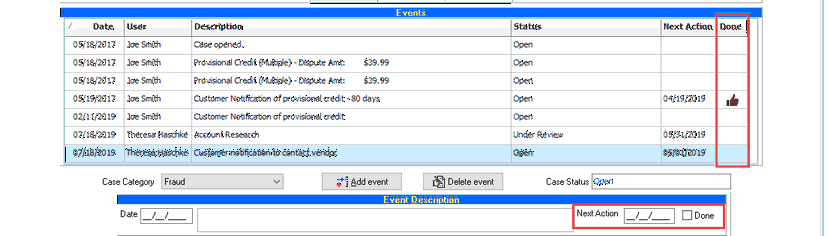
The NextActionDate in the case inventory was limited to only showing the newest item and had to be deleted when it no longer applied. Under the revised functionality, multiple NextActionDates can be added to the case in any sequence. A new option, "Done" is now used to indicate that the item has been completed.
The Case Inventory will then show the next, not yet "Done" NextActionDate. If all items are completed, no NextActionDate will be displayed.

4. "Add Event" now supports Seq# navigation
To speed-up navigation in the drop-down list of events, the event can now be located by typing the sequence number of the event. The drop-down list will advance to the next matching sequence number.
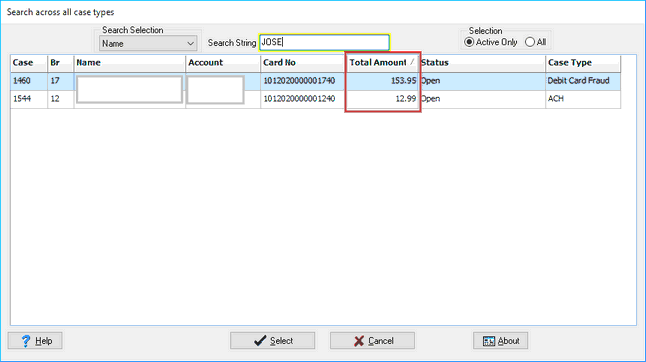
5. Added Total Case Amount to "Search across all case types" dialog
To add to the ability to search for a particular case, the Total Disputes amount was added to the display.